
Springside Primary School – Plantronics Wireless Headset - Pairing Guide
The Plantronics C054 is a lightweight, wireless headset designed for office desk phones. It offers up to 120 meters (400 ft) of range, noise-canceling microphones, and 7 hours of talk time, featuring a convertible design for over-the-ear or over-the-head wear.
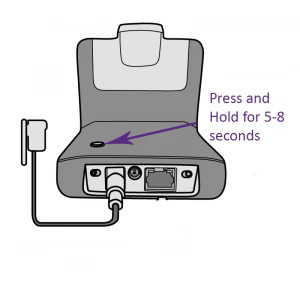
Step 1. - Press and hold the pairing button for 5-8 seconds on the back of your C054 charging base, then release your finger. You'll see the white LED light start flashing on the front of the charging base.
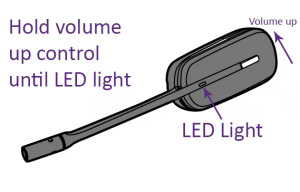
Step 2. Hold the volume control up button on your earpiece (in or out of the charging base is OK) until a solid white LED light appears on the headset, then release.
*Note: If you've had your headset 2 years or more and Plantronics C054 setup guide doesn't help, you may need a new battery. Follow the Plantronics C054 battery replacement guide for the compatible battery and installation process.
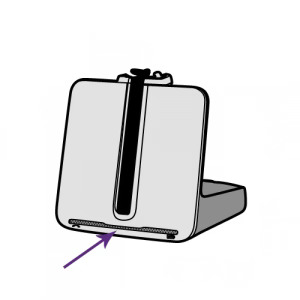
Step 3. When the LED light on your Plantronics earpiece disappears and the white LED light goes solid on your C054 charging base, the two are now paired.
Was this article helpful?
That’s Great!
Thank you for your feedback
Sorry! We couldn't be helpful
Thank you for your feedback
Feedback sent
We appreciate your effort and will try to fix the article